
How to Add a Book Now Button to Instagram (Salon Guide)
Part 3 of Booked Solid: the 6-week series on filling your salon’s calendar automatically.
Your Instagram gets the likes. Does it get the bookings?
Somebody watched your transformation reel three times. They sent it to a friend. They went to your profile, looked at the grid, decided you were the one, and then found nothing to tap. So they closed the app, meant to come back, and never did.
That gap between admiring and booking is where new clients quietly disappear. This post closes it. Here is how to add a Book Now button to Instagram for your salon, in the order that actually works, in about ten minutes.
Part 2 covered setting up your booking page. If you have done that, everything below is just pointing people at it.
The 3-tap booking journey
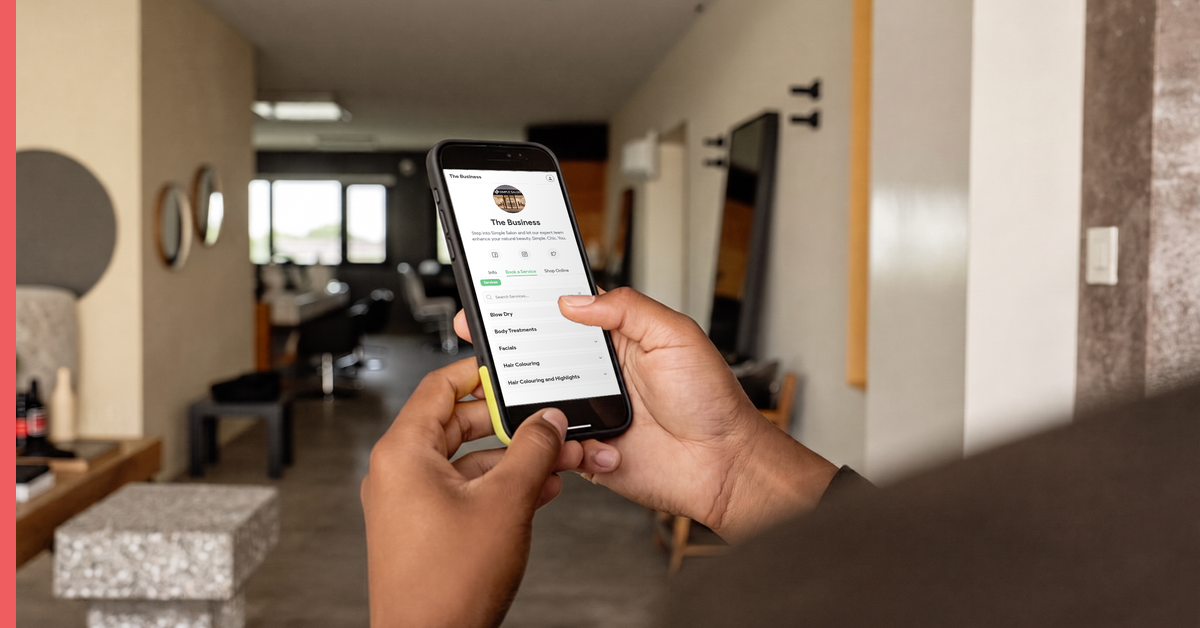
Here is what you are building. The client sees your work, taps Book, picks a time. Done, in the same minute they decided they wanted you.
Now here is what happens without it. They send a DM. You are mid-colour, so you reply at 6pm. They reply at 9pm. You answer with three options at 7am. Two are gone by the time they read it. Fourteen messages over two days, and about half the time the client has already booked somewhere else by message six.
Same client, same interest in your work, completely different outcome. The difference is not the marketing. It is whether there was somewhere to tap.
How to add a Book Now button to Instagram, in the order that works
Do these three in this sequence. Step 1 is the one people skip, and skipping it is why the button sometimes will not connect later.
- Connect your Facebook Book Now button first, in Simple Salon. Go to Account > Actions > Facebook and connect your page. This is one connection that ends up serving two platforms, because Instagram business profiles draw their action button through the linked Facebook page. Get this in place first and the Instagram side has something to attach to. Do it the other way around and you will be back here anyway.
- Add the Book action button on your Instagram profile, and put your booking link in your bio. On your business profile go to Edit profile, then Action buttons, and choose Book. Then paste your booking link in the bio field as well. Two entry points, because people look in both places and you do not get to choose which.
- Pin a story highlight called BOOK. Make it the first highlight on your profile, with your booking link in the story. It sits right under your bio where the eye already goes, and unlike a story it never expires.
Meta keeps its own guide to profile action buttons in the Instagram Help Centre if you want their version of the screens as you go.
Quick check before you move on. Open your own profile in the app, as a client would see it, and tap your own Book button. If it lands on your booking page with your services showing, you are done. If it lands anywhere else, step 1 has not connected yet.
Beyond Instagram: get booked from Google too
Instagram catches the people who already found you. Google catches the ones who have not yet, and there are more of them.
If you take payment online, a Book Online button appears directly on your Google listing. Someone searching “balayage near me” on a Tuesday night sees your salon, taps Book, and holds an appointment without ever landing on a website. It is the shortest path from stranger to client that exists, and most salons in your suburb do not have it switched on. Google’s own guide to setting up bookings through a provider covers the listing side.
Same booking page underneath. You are just adding doors to it.
Make every post a doorway
Once the button is live, something changes about the content itself.
Every reel, every before and after, every story of a client walking out with hair they cannot stop touching, all of it stops being just marketing and starts being the top of a path that ends in your calendar. The work you were already doing keeps working after you close the app.
A few things worth doing while you are in there. Put the booking link in your story any time you post a transformation, not just occasionally. Add it to your Facebook page and your email signature on the same afternoon, since you have the link in your clipboard already. And if a client does DM asking for a time, send the link back rather than a list of options. It is faster for both of you, and it teaches them where to go next time.
The point of all of this is not to be busy on social media. It is that the hour you spend on content stops evaporating, and the client who loved your work at 9:30pm on a Sunday can act on it while they still feel like it.
What this looks like a month later
Owners tell us the same two things.
The first is that the DMs get quieter, which sounds like less engagement and is actually less admin. The booking questions stop, because they got answered by the button. What is left in the inbox is people asking real questions about their hair, which is a much better use of your evening.
The second is that new clients start arriving who never spoke to you first. They found the profile, liked what they saw, booked, and turned up. No conversation, no chasing, no negotiation about Saturday. They just appear in the calendar as a name you do not recognise. That is the leak from Part 1 running in reverse.
Frequently asked questions
How do clients book a salon appointment from Instagram?
Through the Book action button on your business profile, the link in your bio, or a pinned story highlight. All three point at your booking page, where the client picks a service, an operator and a time. It takes about three taps and no messages.
Why is my salon Instagram getting likes but no bookings?
Almost always because there is nothing to tap. Interest fades fast, and a client who has to send a DM and wait for a reply has time to change their mind or book elsewhere. Adding a booking button turns the interest into an appointment while it is still there.
Do I need a Facebook page to add a Book Now button on Instagram?
Yes, and it is worth connecting it first. Instagram business profiles draw their action button through the linked Facebook page, so connecting Facebook in Simple Salon under Account > Actions > Facebook is step one. One connection covers both platforms.
How do I add a booking button to my salon’s Google listing?
Take payment online and a Book Online button appears on your Google Business Profile, so someone searching for a salon nearby can book straight from the search results.
Not with Simple Salon yet? This is what the booking page you would be linking to actually does: takes appointments from your profile, your Google listing and your website, at any hour, without you touching your phone.
Already with us? Your booking link is in your account right now. Add it to your Instagram bio today and your next reel can bring someone straight into your calendar.
P.S. Know a salon owner still taking bookings by DM at 10pm? Our referral program rewards you when they sign up.
The Booked Solid series
Six weeks on filling your salon’s calendar automatically.
- Part 1: 5 Money Leaks Quietly Costing Your Salon Bookings
- Part 2: How to Set Up Online Booking for Your Salon in 5 Steps
- Part 3: How to Add a Book Now Button to Instagram (you are here)
- Part 4: The Real Cost of Salon No-Shows (and the One-Text Fix)
- Part 5: 5 Salon SMS Templates That Fill Quiet Days
- Part 6: The Booked Solid Checklist: Set Up Your Salon for a Fully Booked Spring